
Digital Save the Date Templates
Announce your date in style. Create a digital save the date with photos and a countdown, and share it with one link.
Create a save the dateFree to start · No app for guests · No per-guest fees
A save the date tells your guests to mark their calendars before the full invitation arrives. With Cheervite, your digital save the date is a beautiful page with your photo, names, date, location and a countdown, shared instantly by text, email or WhatsApp. When it is time to send your invitation, you can turn the same page into your full wedding website with RSVPs.
Why send a digital save the date?
Instant and affordable
No printing or postage.
Easy for everyone
Guests open it on any phone, no app required.
Photo-friendly
Use your favourite engagement photo as the hero.
Add to calendar
Guests save the date in a tap.
Grows with you
Upgrade the same link into your full wedding invitation and RSVP page later.
Designs you could send
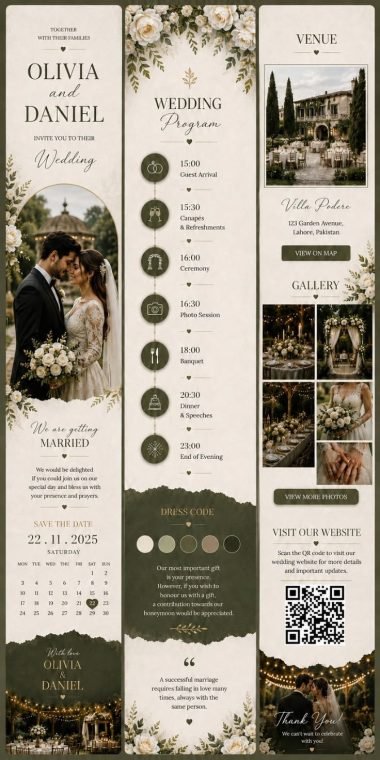
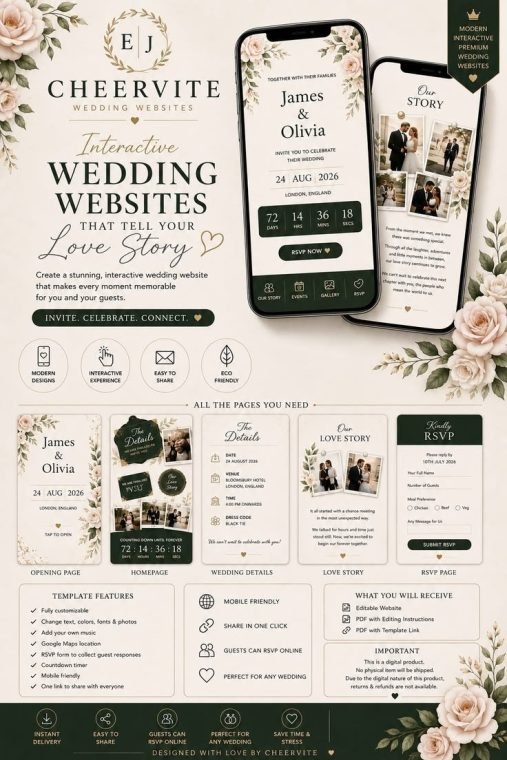
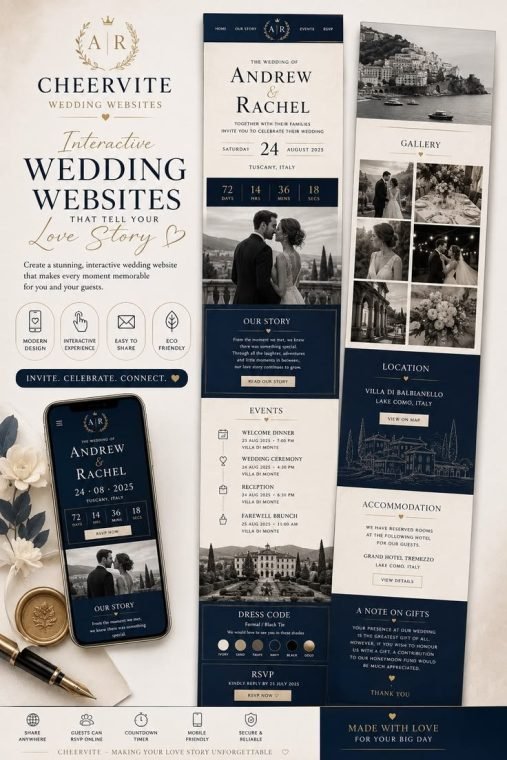
Every one is a real, live page — tap to see exactly what your guests would open.
Save the date templates for every style
Choose from photo-led layouts, elegant typography, floral and botanical designs, modern minimalist styles and fun themes for destination weddings. Every save the date template is editable, so you can change colours and wording to match your wedding style.
Save the dates are not only for weddings. Use them for milestone birthdays, family reunions, big anniversaries, graduations and corporate events too.
What to include on a save the date
Keep it simple. A save the date should include:
-
1
Your names
-
2
The date
-
3
The city or venue (a full address can come later)
-
4
"Formal invitation to follow"
-
5
A link or note for travel information, especially for destination weddings
Save the date wording ideas
- Classic: "Save the date for the wedding of Olivia and Daniel. 14 August 2027, Cotswolds, England. Invitation to follow."
- Fun: "We're getting hitched! Keep 14 August 2027 free. Details soon."
- Destination: "Pack your bags! Olivia and Daniel are getting married in Santorini, 3 June 2027. More details and travel tips coming soon."
- Non-wedding: "Save the date: the Johnson family reunion, 2 August 2027, Lake Tahoe."
Send your save the date today and give guests plenty of time to plan.
Make my save the dateWhen to send save the dates
- Local weddings: six to eight months before
- Destination weddings: nine to twelve months before
- Peak season or holiday weekends: as early as possible
- Other events: two to four months before
Save the date vs invitation
A save the date is an early heads-up with just the date and place. The invitation comes later with all the details: times, venue, dress code and RSVP. With Cheervite you can use one page for both: start it as a save the date, then add the schedule and switch on RSVPs when you are ready.
Free and paid options
Create a free save the date with one free template, a link, a countdown and a map, live for one month. Want it to last until your wedding day? Basic ($19.99 per event, one-time) unlocks every template, QR codes, a photo gallery, music, a password and no badge, live for three months, and Basic Plus keeps your page live for 12 months so it can grow into your full wedding website.
Simple pricing
Free
One real page, forever free to try.
- 1 free template
- 10 RSVPs
- Live 1 month
- QR & share tools
Basic
One payment, this event. No subscription.
- All templates
- 100 RSVPs
- Live 3 months
- QR & share tools
Frequently asked questions
Can I send a save the date by email?
Yes. Paste your link into an email, text, WhatsApp or social message.
Can I turn my save the date into a wedding invitation later?
Yes. Add the schedule, details and RSVP form to the same page when you are ready.
Are there free save the date templates?
Yes. The Free plan includes one free template. Upgrade to access all designs.
How early should I send a save the date?
Six to eight months for local weddings and nine to twelve months for destination weddings.
Can guests add the date to their calendar?
Yes. Guests can add your date to their calendar from the page.